
Barcode Inventory Systems: What, Why, and How to Implement In Your Business
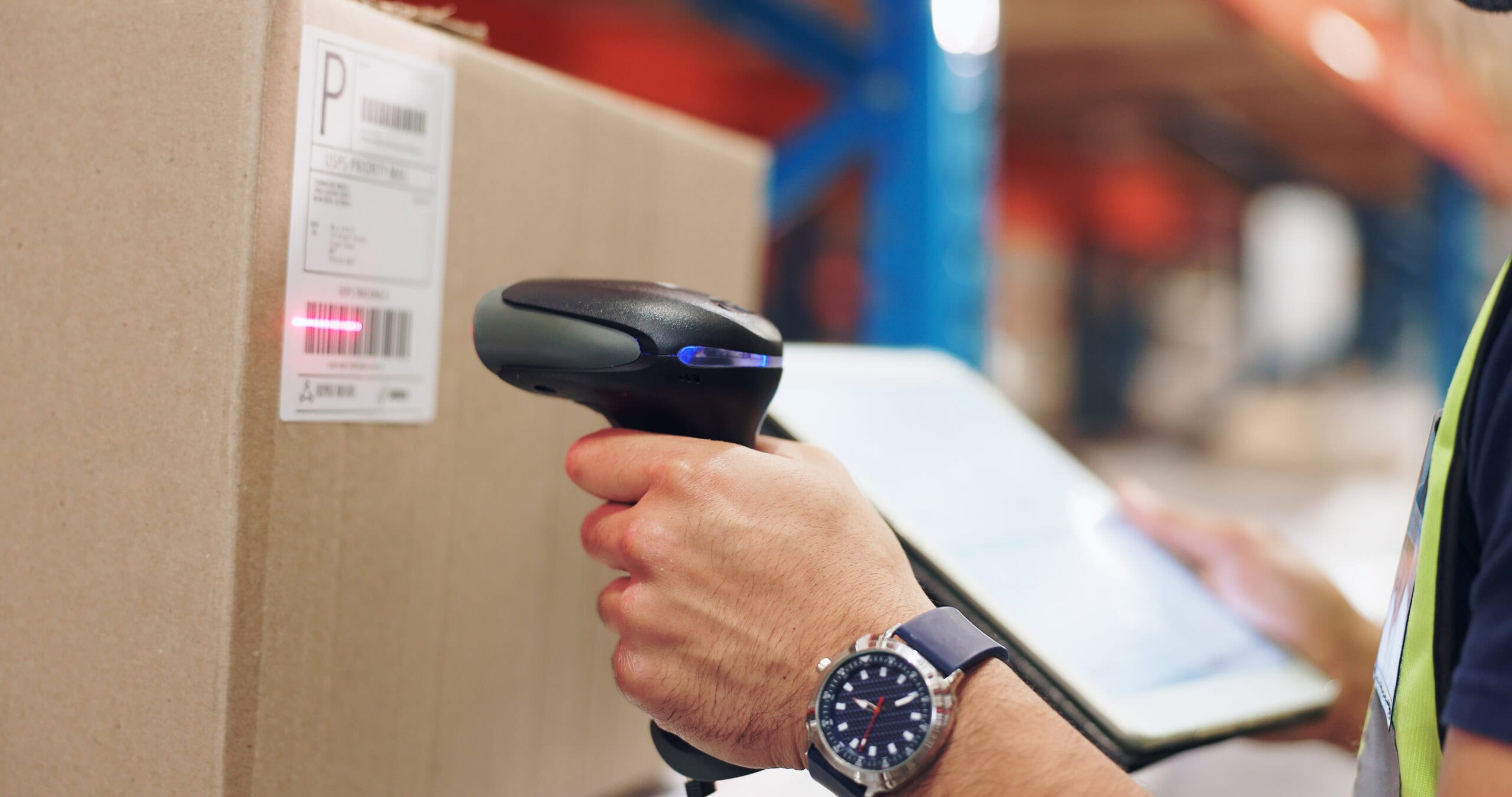
Inventory control sits at the center of every product-based business. Whether you run a five-person ecommerce shop or manage stock across multiple locations, knowing exactly what you have, where it is, and when to reorder determines whether you hit revenue targets or watch sales slip away. The days of spreadsheets and clipboard counts keeping pace with modern commerce are over, and the gap between manual tracking and reality only widens as your catalog grows.
Poor inventory control creates a chain reaction. Stockouts cost you sales and send customers to competitors. Overstock ties up cash in products collecting dust. Write-offs eat into margins when items expire or go obsolete before they sell. Consider a small electronics retailer heading into the holiday season: their spreadsheet showed 50 units of a popular smartphone case, but unrecorded sales, returns, and shipping errors meant only 30 were actually on the shelf. Over Black Friday weekend, hundreds of orders went unfulfilled while less popular items sat idle. That scenario plays out constantly, and industry data shows that even as brands increased on-hand inventory by 5.5% year over year, revenue losses from stockouts rose 54% because what was tracked and what was real didn’t match.
A barcode inventory system offers a practical, affordable path from manual data entry to fast, accurate barcode scanning. Instead of trusting handwritten counts or copy-paste spreadsheets, every product movement gets recorded the instant a scanner reads a label.
This article will walk you through what a barcode inventory system is, how barcode inventory systems work in day-to-day operations, and how to implement one step by step in your business, whether you’re running a single stockroom or a multi-warehouse operation.
What Is an Inventory Management System?
An inventory management system is the combination of processes, tools, and inventory software that a business uses to track inventory items from purchasing and receiving through storage, production, and final sale. At its simplest, an IMS answers three questions at any given moment: what do you have, where is it, and how much should you reorder?
A well-built inventory management system helps businesses maintain optimal stock levels by setting reorder points, flagging slow-moving products, and keeping inventory organized across warehouses, stores, or fulfillment centers. When a product dips below a threshold, the system triggers alerts or even generates a purchase order automatically, so you never find out about a shortage from an angry customer email.
The business outcomes are straightforward: fewer stockouts, less excess inventory sitting on shelves, and better cash flow because capital isn’t locked up in products you don’t need yet. When a distributor replaced paper stock cards and manual logs with an IMS in 2022, their inventory accuracy jumped from roughly 70% to 95%, virtually overnight eliminating the guesswork that had plagued monthly reconciliation. Barcoding is one of the most common technologies inside an inventory management system, providing the accurate tracking of physical inventory that makes these results possible.
Connection to Business Efficiency
Strong inventory management directly impacts your bottom line through labor savings, lower carrying costs, and fewer write-offs on expired or obsolete stock. An inventory management system with barcode scanning eliminates repeated manual data entry, reduces human error in counts and transfers, and speeds up order fulfillment so customers get the right products faster. Real-time data from barcode inventory management supports better forecasting and decision-making, and because these systems often integrate with accounting software and sales channels, your reporting and purchasing decisions draw from accurate, up-to-date inventory data rather than best guesses assembled at month-end.
What Is a Barcode Inventory System?
A barcode inventory system is a technology-driven method to track stock levels in real time. It combines barcode labels, barcode scanners, and inventory management software so that every physical inventory event, whether receiving, moving, picking, or shipping, corresponds to a scan that instantly updates your records.
At its core, each inventory item is linked to a unique barcode in the system. That barcode label acts as a unique identifier attached to the product, carton, or bin. When a worker scans that label, the software pulls up the item record and adjusts quantities, locations, and timestamps without anyone typing a single number. Barcode systems improve inventory accuracy by reducing the manual errors that creep in when humans key data by hand. Instead of writing “received 48 units” on a clipboard and hoping someone enters it correctly later, the scan captures the data immediately.
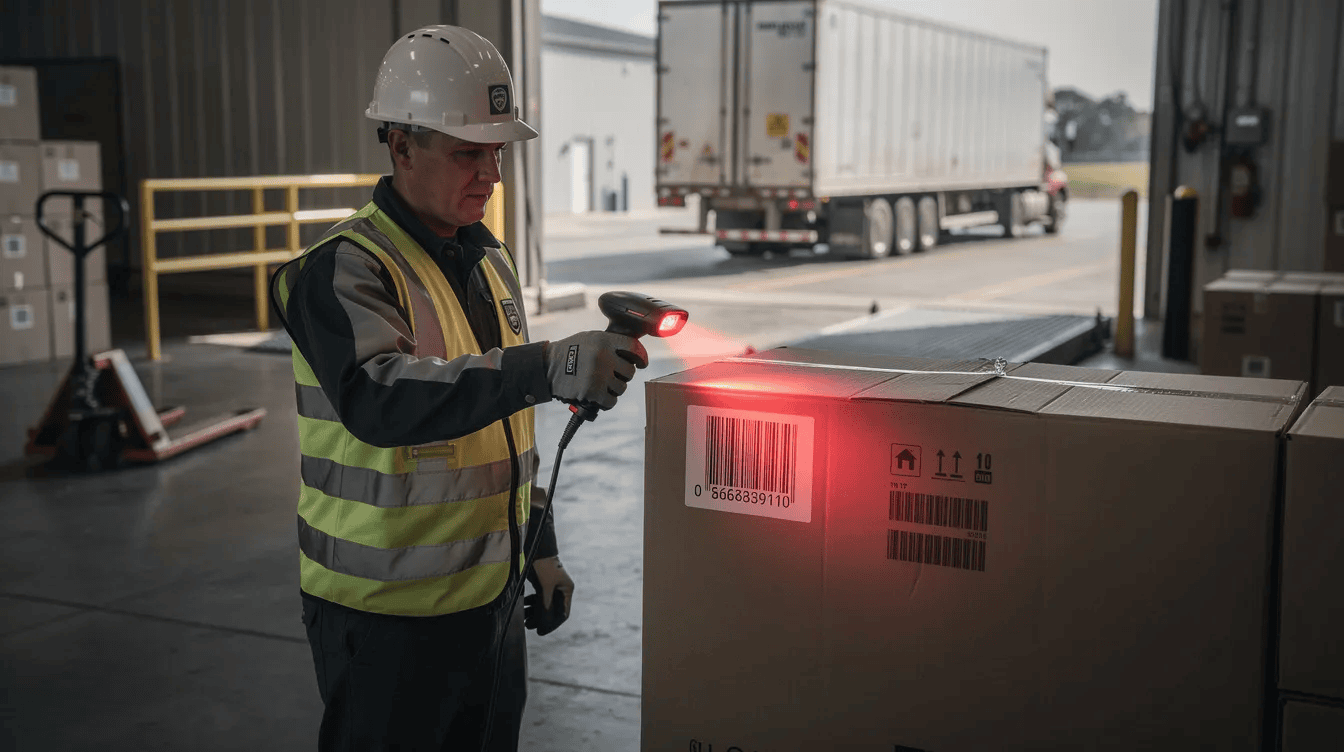
Here’s how a typical workflow plays out: incoming products arrive at your dock, and receiving staff scan the barcodes on each carton. The inventory software matches the scan against the purchase order, confirms the quantities, and updates your current inventory. Items get put away on shelves, and the location barcode gets scanned too. When a customer order comes in, the picker scans the bin, then the item, confirming the right product leaves the right spot. Every step is recorded, giving you real-time visibility into inventory movement, faster counts, and more accurate tracking across bins, shelves, and sites.
Key Components of a Barcode Inventory System
A barcode inventory system uses scanning hardware and centralized software working together. Here are the core components:
- Barcode labels or tags – The physical labels affixed to items, cartons, bins, or shelf locations. Common barcode formats include UPC, Code 128, and QR code symbologies. Some labels come pre-printed from suppliers, while others are generated in-house with custom labels carrying internal SKU numbers.
- Barcode scanners or handheld scanners – Devices that read the labels. Options range from a basic USB laser scanner to rugged handheld scanners built for dusty warehouses, Bluetooth models, and even a smartphone app using the phone camera. Dedicated barcode scanners are faster and more accurate than smartphones, which matters when you’re processing hundreds of scans per shift.
- Barcode label printer – A label printer, typically thermal, that lets you print barcode labels on demand. Barcode label printers produce durable, scannable labels quickly, handling everything from single product tags to bulk runs of location labels. Use dedicated barcode printers for durable labels that resist smudging, moisture, and warehouse wear.
- Barcode inventory software – The digital backbone. This inventory management software stores item records, links barcodes to product details like SKU, description, cost, and supplier, and processes every scan event in real time. Inventory software must integrate with barcode scanning systems to deliver the accuracy and speed benefits that justify the investment.
Some businesses rely on existing barcodes already printed by suppliers (like universal product codes on retail packaging), while others create barcodes internally using a barcode generator built into their inventory software. Even small businesses can start scanning with a mobile phone and a free barcode generation tool, then scale up to dedicated hardware as volume grows.
Types of Barcode Used in Inventory Systems
Inventory systems most often use one dimensional barcodes for basic product identification and two dimensional barcodes like QR codes for scenarios requiring richer data. The choice between 1D and 2D depends on how much information you need encoded directly on the label, whether that’s just a product number or a combination of batch, expiry date, and lot number.
Many barcodes used in retail follow GS1 standards, which govern identifiers like GTIN, UPC, and EAN to ensure global interoperability. Internal barcodes, on the other hand, can use whatever numbering scheme fits your business, and many barcode formats like Code 128 or Code 39 are open for anyone to use without registration.
1D Barcodes (Linear Codes)
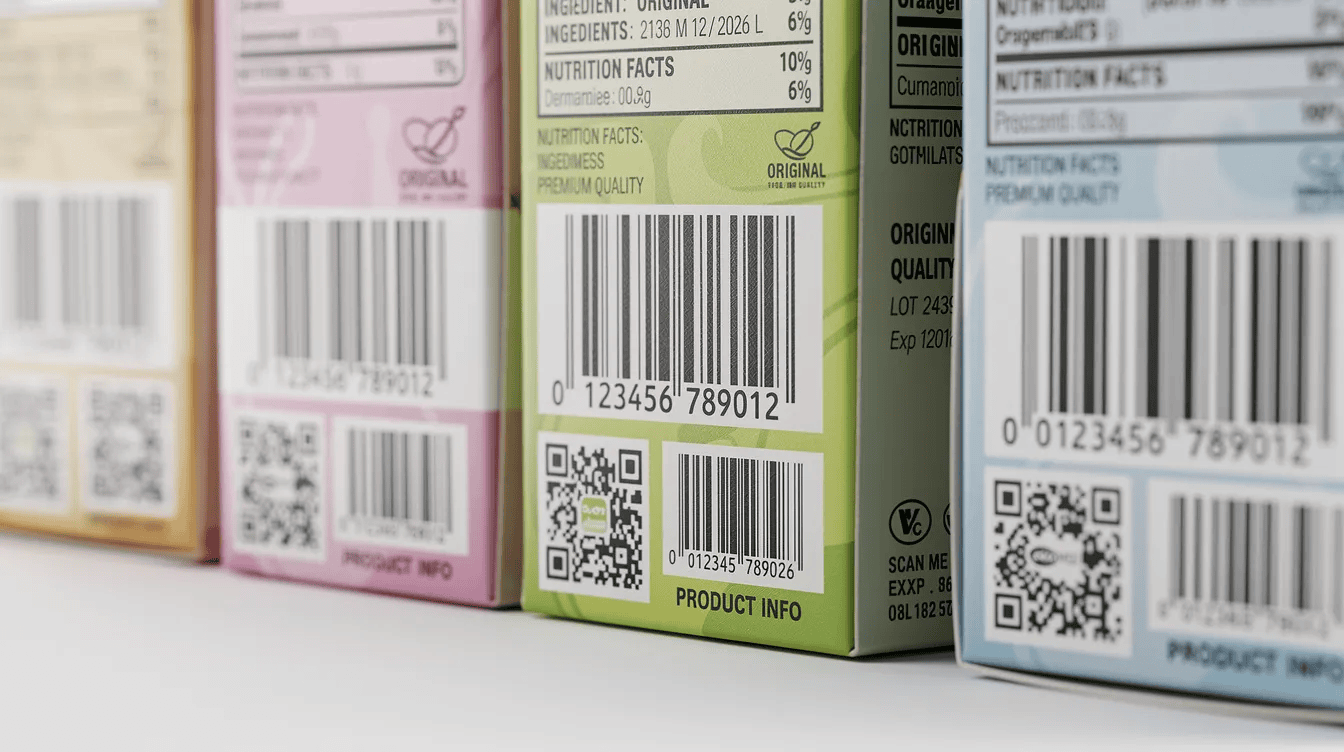
One dimensional barcodes are the classic “lines and spaces” format that stores a unique code horizontally. Common symbologies include UPC-A, EAN-13, Code 39, and Code 128. Standardized barcode symbologies like UPC, EAN, and Code 128 form the backbone of retail and distribution scanning worldwide. These barcodes are 1D barcodes suitable for basic product identification: they encode a number that points to a detailed record in your inventory software rather than storing product details directly on the label.
Grocery stores have relied on UPC barcodes to track inventory and manage checkout since the first barcode scan on a pack of Wrigley’s gum in 1974. Today, if you sell products through retail channels or marketplaces, GS1-registered barcodes are necessary for global product recognition. A GS1 company prefix lets you assign standardized stock keeping units that any trading partner’s scanner can read, making 1D codes the universal language of retail inventory tracking.
2D Barcodes (QR Codes and Beyond)
Two dimensional barcodes encode data both horizontally and vertically using square or rectangular patterns. The most common types are QR codes and Data Matrix codes. Because 2D barcodes can store more information than 1D barcodes, they’re used in scenarios where a simple product number isn’t enough, think batch numbers, serial numbers, expiry dates, or even URLs linking to manuals and warranty pages. QR codes can convey complex data in a small area, making them especially practical for tight label spaces on small components.
Manufacturers use Data Matrix codes on electronic components for traceability through each production stage. Healthcare organizations embed patient and medication data in 2D codes. Retailers are increasingly printing QR codes on packaging that link consumers to product information or authenticity verification. Many newer barcode inventory systems support both 1D and 2D barcode scanning capabilities, so businesses can future-proof their inventory management without replacing their entire setup as industry standards evolve.
Pros and Cons of Barcode Inventory Systems
Barcode inventory systems dramatically improve accuracy and speed, but they do require hardware, software, and process changes to get right. For most businesses, the key benefits of accurate tracking, fewer stock discrepancies, and saved labor time far outweigh the downsides. Here’s the breakdown.
Pros of Barcode Inventory Systems
- Ease of Use – Barcode scanning is intuitive. Most staff adapt within a single training session because scanning feels similar to using a smartphone camera. The learning curve is minimal compared to mastering complex data entry screens or memorizing product codes.
- Accuracy – Barcode scanning replaces manual data entry, sharply reducing human error in counts, transfers, and order picking. A bearing distributor managing over 5,000 SKUs saw picking errors drop to effectively zero after implementing barcode workflows, and month-end reconciliation went from days to a same-day task.
- Cost-Effectiveness – A basic barcode system with a USB scanner, label stock, and entry-level inventory software can be implemented for a few hundred dollars. Scanners range from around $100 to $1,500 for heavy-duty models, labels cost pennies each, and software subscriptions often start at $50 to $100 per month. Many businesses see payback within 3 to 12 months.
- Efficiency – Barcode scanning speeds up inventory counts and checkout processes significantly. A UAE-based 3PL cut full warehouse cycle counts from five days down to six hours after implementing barcode and RFID workflows, while picking accuracy rose to 99.8%. Automated scanning reduces time spent reconciling inventory discrepancies, freeing staff for higher-value work.
- Real-Time Visibility – Each barcode scan updates inventory levels immediately. Real-time inventory updates help prevent stockouts and overstocking because managers can track stock levels and plan purchasing based on current data, not yesterday’s spreadsheet. Barcode systems provide real-time data for better decision-making across the entire supply chain.
Cons of Barcode Inventory Systems
- Limited Data Storage (for 1D) – One dimensional barcodes typically only store an ID number. All detailed information like descriptions, cost, batch data, and supplier info must live in the inventory software, which means your data structure and process discipline need to be solid from day one.
- Dependency on Equipment – Operations depend on barcode scanners, barcode label printers, and networked inventory software. If a scanner breaks, a printer jams, or the network drops, workflows stall until the issue is resolved. Having backup hardware on hand mitigates this risk.
- Potential for Physical Damage – Damaged, smudged, or poorly printed barcode labels cause scan failures. In harsh environments like cold storage or outdoor yards, standard paper labels degrade quickly, requiring synthetic label materials or frequent reprints.
- Upfront Investment and Change Management – Even for small businesses, the initial outlay for hardware, software, labels, and training adds up. Beyond cost, staff accustomed to manual processes may resist new workflows. A phased rollout and clear communication about why the change matters can ease the transition.
How Barcode Inventory Systems Work in Practice
The process starts before any scanning happens. You build or import a catalog of inventory items in your software, each with a SKU, description, supplier, and any relevant variants. You then assign barcodes, either using existing barcodes from suppliers or generating unique barcodes for items that don’t have them. Labels get printed and attached to products, cartons, and storage locations.
From there, daily operations follow a scan-at-every-touchpoint model. Staff scan incoming products at receiving, confirming quantities against purchase orders. During put-away, they scan the item and then the bin or shelf location barcode so the system knows exactly where each product sits. When picking orders, workers scan the bin location first, then scan items to confirm the correct product and quantity. Packing, shipping, and returns all follow the same pattern. Each barcode scan event flows to the inventory software, which updates inventory levels, locations, and sometimes cost and valuation records in real time.
Better location tracking is achieved through the use of barcodes in a multi-location setup. Consider a three-location apparel retailer using barcode scanners to manage transfers: staff at the sending store scan inventory as it leaves, and staff at the receiving store scan it on arrival. The system tracks every unit in transit, eliminating the “lost in transfer” problem that plagues manual processes and ensuring each store can manage inventory with accurate on-hand counts.

Integration With Existing Systems
A strong barcoding system should integrate with your existing ERP, point of sale, ecommerce, and accounting systems so that inventory data doesn’t live in a silo. Modern inventory software often provides APIs or native connectors that sync scan data with order management, purchase orders, and financial records automatically. The result: fewer manual reconciliations between platforms, better order fulfillment because stock levels are consistent across sales channels, and a single source of truth for inventory updates, valuation, and reporting. When integrating software platforms, look for solutions that support real time data syncing rather than batch imports, which can create lag and discrepancies.
How to Set Up a Barcode Inventory System Step by Step
Setting up a barcode inventory system is a project most businesses can complete in a few weeks. Here’s a practical checklist you can follow.
- Choose inventory software with barcode inventory management features. Look for barcode inventory software that supports scanning, label generation, multi location inventory tracking, and integration with your existing systems. Evaluate options based on the number of users, locations, and whether you need a mobile app or desktop-only access.
- Decide on barcode types and symbologies. Choose a standardized barcode symbology for your industry. If you sell through retail or online store channels, you’ll likely need GS1-registered barcodes. For internal tracking only, Code 128 or QR code symbologies work well and don’t require registration fees.
- Prepare your inventory list. Build or clean up your item catalog with consistent naming, accurate descriptions, and correct quantities. Audit your existing inventory so you start with counts that are accurate rather than carrying over old errors.
- Generate barcodes. Use a barcode generator within your inventory software or a standalone tool to generate unique barcodes for each item in your inventory. If your products already carry supplier barcodes, import those codes into your system instead of duplicating them.
- Print barcode labels. Print barcode labels using a dedicated barcode printer. Thermal printers are the standard choice for label printing because they produce durable labels quickly without ink cartridges. Design labels with high contrast, adequate quiet zones, and a size appropriate for your products and storage bins.
- Label existing inventory and storage locations. Attach labels to every product, shelf, bin, and location that will be part of your tracking system. Don’t skip location labels, they’re what enable your system to track where items sit, not just what you have.
- Configure barcode scanners and user permissions. Set up your dedicated scanner or handheld scanner devices, pair them with the software, and assign user roles so each team member has appropriate access. If you’re starting lean, a smartphone app with barcode scanning capabilities can work for low-volume operations.
- Run a pilot and refine. Test your barcode system with sample transactions before full rollout. Process a handful of receiving, picking, and transfer workflows to catch configuration issues, label problems, or workflow gaps before you go live across the entire operation.
According to Finale Inventory’s small business guide, even modest operations can complete implementation with off-the-shelf tools rather than custom development, with most seeing measurable improvements within the first month.
Training Staff for Successful Adoption
The barcode inventory system only works if staff scan every movement consistently. Skipping a scan is the same as not recording a transaction: it creates the exact discrepancies you’re trying to eliminate. Train employees on the new barcode system procedures, covering how to scan items correctly, how to handle scan errors or unreadable labels, and what to do when a label is missing.
Keep training sessions short and role-specific. A 30 to 60 minute session per team, focused on the specific inventory tasks they perform daily, is more effective than a marathon all-hands meeting. Place simple quick-reference guides near workstations so staff can easily scan barcodes and troubleshoot without hunting for a manager. Train staff on barcode scanning procedures for consistency, and revisit training after the first few weeks when real questions surface.
Applying Barcode Inventory Systems in Different Business Models
The same barcoding principles, label everything, scan every movement, trust the data, apply whether you’re running a warehouse, a factory floor, or a chain of retail stores. The difference is in how you adapt the workflows. Here’s how barcode inventory management looks in two of the most common environments.
Implementing a Barcode System in a Warehouse
Consider a regional distributor managing 10,000 SKUs across a 50,000-square-foot facility. Accurate tracking of products and locations directly determines how fast orders ship and how often pickers grab the wrong item.
Start by labeling every location: aisle markers, rack sections, and individual bins each get their own barcode. Then label every inventory item or case. During receiving, staff scan each carton against the purchase order and scan the put-away location. For picking, workers receive a digital pick list on a mobile device or dedicated scanner, scan the bin barcode to confirm they’re at the right location, then scan the item to verify the correct product and quantity. This scan-to-confirm workflow supports multiple users working in parallel without confusion and catches mistakes before they reach the packing station.
Handheld scanners and mobile devices are the standard tools for warehouse barcode scanning, and the barcode system can handle transfer workflows between zones or buildings within the same system.
Implementing a Barcode System in Manufacturing
Manufacturers use barcodes to track raw materials, work-in-progress, and finished goods through each production stage. When incoming products or materials arrive, they receive a barcode label at the point of receipt. As items move between work centers, whether that’s cutting, assembly, or quality inspection, operators scan them at each station.
This gives production managers real-time visibility into WIP levels, better control of batch and lot numbers, and improved traceability for quality issues or recall situations. Manufacturers often use 2D barcodes like Data Matrix on small components where space is tight, or QR codes on equipment for maintenance tracking and asset tracking. The result is an accurate, searchable record of every material’s journey from dock to finished product.
Key Considerations Before Choosing a Barcode Inventory System
Before you commit to a specific barcode inventory system, step back and evaluate your actual needs. A five-person online store with 200 SKUs in one location has very different requirements than a manufacturer with 15,000 parts across multiple locations and a production floor.
Start by mapping your complexity: how many SKUs do you manage, how many storage locations are involved, and how many people need access to the same system? Consider whether you need offline scanning for areas with poor connectivity, or whether your setup always has reliable network access. If you sell through an online store, POS, and wholesale simultaneously, make sure the inventory software supports syncing across all sales channels.
Budget matters, but think beyond the initial purchase. Factor in software subscription tiers, the cost difference between a basic barcode reader and a rugged warehouse scanner, label printer options, and ongoing support. Choose barcodes that meet industry standards for compatibility with your trading partners and platforms. Before signing a contract, ask vendors these questions: Does the system support both 1D and 2D barcode formats? Can it import existing barcodes from suppliers? Does it integrate with your current ERP, POS, or accounting software? And can it scale as your SKU count and location count grow?
Best Practices for Using Barcode Inventory Systems
Once your barcode system is live, keeping it accurate requires ongoing discipline. Here are the practices that separate businesses with 99%+ inventory accuracy from those that slowly drift back toward spreadsheet-level chaos.
- Audit labels regularly. Conduct regular audits to ensure inventory accuracy. Walk your warehouse or stockroom monthly, checking for damaged, faded, or missing barcode labels. Replace them immediately, because a label that can’t be scanned forces manual entry, which reintroduces human error.
- Schedule cycle counts. Replace the dreaded annual full-count stocktake with rolling cycle counts. Count a portion of your inventory each week so that every item gets verified at least quarterly. This catches discrepancies early and keeps your inventory records reliable year-round.
- Maintain label quality. Use high-contrast printing (black bars on a white or light background), print at 300 DPI or higher, and ensure adequate quiet zones around each barcode. Place labels where barcode scanners can reach them easily, not tucked behind packaging flaps or on curved surfaces.
- Keep your data clean. No duplicate SKUs, no vague descriptions like “misc parts,” and consistent assigning barcodes to each new item and variant as they enter your catalog. Standardize barcodes and procedures for efficiency across all locations so a scan in one warehouse means the same thing as a scan in another.
- Use your data. Leverage inventory reports and data analysis from your barcode inventory to refine reorder points, track stock levels, and identify slow-moving inventory before it becomes a write-off. The valuable data your system collects is only useful if someone actually reviews it and acts on the insights.
When to Upgrade From Manual Tracking to a Barcode Inventory System
If you’re experiencing frequent stock discrepancies where your counts diverge from your records by 10% or more, lost items that turn up weeks later in the wrong location, or increasing hours spent on manual data entry and reconciliation, you’ve outgrown manual tracking. Multiple users editing the same inventory list in a spreadsheet is another clear signal: conflicting updates create errors that compound over time.
As a rough guide, businesses managing more than 200 to 300 SKUs, operating across multiple locations, or processing more than a few hundred inventory movements per week will find that basic inventory tracking with spreadsheets costs more in labor and errors than a barcode system costs to implement. Consider a home-based ecommerce seller who scaled from 50 SKUs in a spare bedroom in 2021 to 800 SKUs in a leased warehouse by 2024. What started as a manageable inventory list in Google Sheets became a source of daily firefighting, with oversells, mispicks, and hours spent on stock count reconciliation. Switching to a barcode inventory system turned those problems into a half-hour daily scan routine and an always-accurate dashboard.
Future Trends: From Barcodes to Smarter Inventory Tracking
The barcode itself is evolving. The industry is steadily moving from simple 1D line barcodes toward QR codes and other 2D symbologies that carry richer data. GS1’s Sunrise 2027 initiative aims to have retailers accept 2D barcodes at point of sale, which means barcode inventory systems and inventory control workflows will need to handle both legacy 1D codes and newer 2D formats simultaneously. For businesses, this transition means more data captured per scan, including batch numbers, expiry dates, and even links to digital product information, without additional manual entry.
Smartphones are also becoming more capable as scanning tools. Progressive web applications and improved phone camera hardware make it increasingly practical to scan inventory using a mobile phone rather than a dedicated scanner, especially for small businesses or field operations. Meanwhile, larger operations are pairing barcode scanning with RFID tags and IoT sensors for semi-automated tracking at dock doors and conveyor lines. Barcodes remain the affordable, accessible baseline for most small and midsize businesses, and the growing ecosystem of 2D codes and smartphone scanning only makes them more powerful.

Conclusion: Putting a Barcode Inventory System to Work in Your Business
Barcode inventory systems improve accuracy, reduce human error, and support efficient inventory management with real-time visibility into every product movement. They turn each scan into a data point that keeps your stock accurate, your team productive, and your customers happy with orders that ship correctly and on time.
Implementing a barcode inventory system involves choosing appropriate inventory software, creating barcodes for your products and locations, printing labels with a reliable barcode printer, training your team on new procedures, and integrating the system with your existing platforms. The technology is accessible, the costs are manageable for businesses of all sizes, and the ROI typically arrives within months rather than years.
Start by auditing your current inventory processes this week. Identify where counts go wrong, where manual entry slows your team down, and where stock visibility falls short. Then plan a phased rollout of a barcode inventory system over the next three to six months, beginning with a single location or product category and expanding from there. The sooner you move from guesswork to scanning, the sooner your inventory stops being a source of problems and starts being a competitive advantage.